From Blueprint to Archviz Renders in Headless Blender
One blueprint, one brief and a day of Claude writing Blender scripts: seven 2400×1600 renders and a walkable web model. What it took, and what broke.
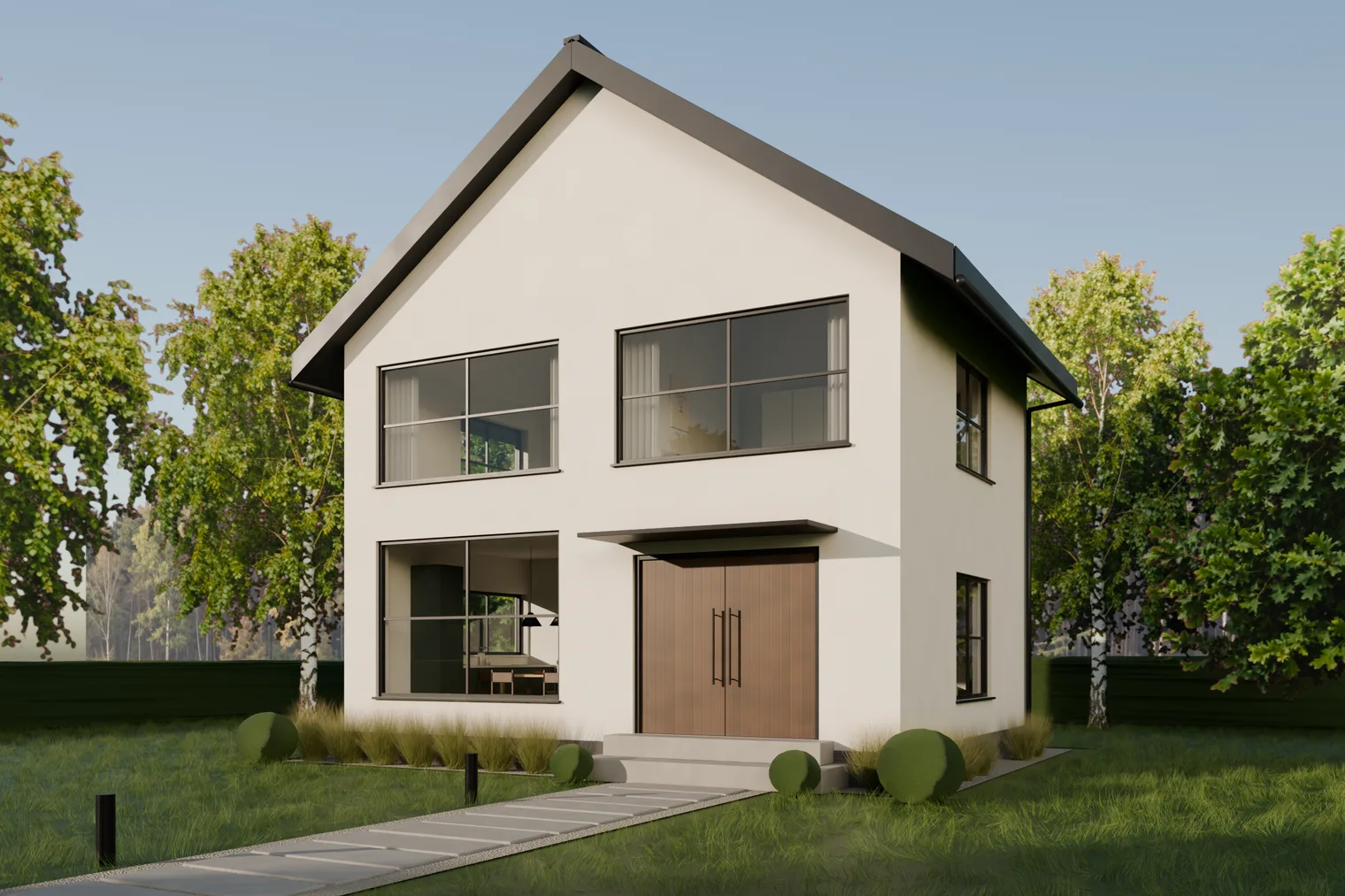 The hero shot. Every mesh, material and plant in it was written as Python by Claude and rendered in Blender with no screen attached.
We gave Claude a blueprint of a small two-storey house (a front elevation and two floor plans) and a short brief: furnish the rooms, add the details and a setting, research how architectural photography is done, and produce images good enough for an architecture magazine. Document everything.
About seven hours later it had delivered:
- seven final renders at 2400×1600: golden hour, blue hour, the front, the dining room, a bedroom and two cutaways,
- a scene of about 450 objects, 23 light fixtures, roughly 640,000 grass strands and three cloth simulations,
- an interactive web model you can orbit, fly through and slice floor by floor,
- and a working log of every decision and every mistake, which this post is built from.
Nobody opened Blender. Claude had no viewport to look at; it saw its work only by rendering a frame and reading the image back.
The setup, briefly
We added three Blender tools to the MCP server our studio already uses for image and video models. Claude writes a Python script and sends it as a job. A fresh Blender 4.2 process runs it with no screen, on CPU only, and returns the renders, the log and any files the script saved. A later job can reopen a scene an earlier one saved, so the work builds up step by step.
There were no add-ons and no downloaded 3D assets. The few flat images in the scene, three artworks and the tree cutouts, came from the same server's image models in well under a minute, all told.
From massing model to magazine shot
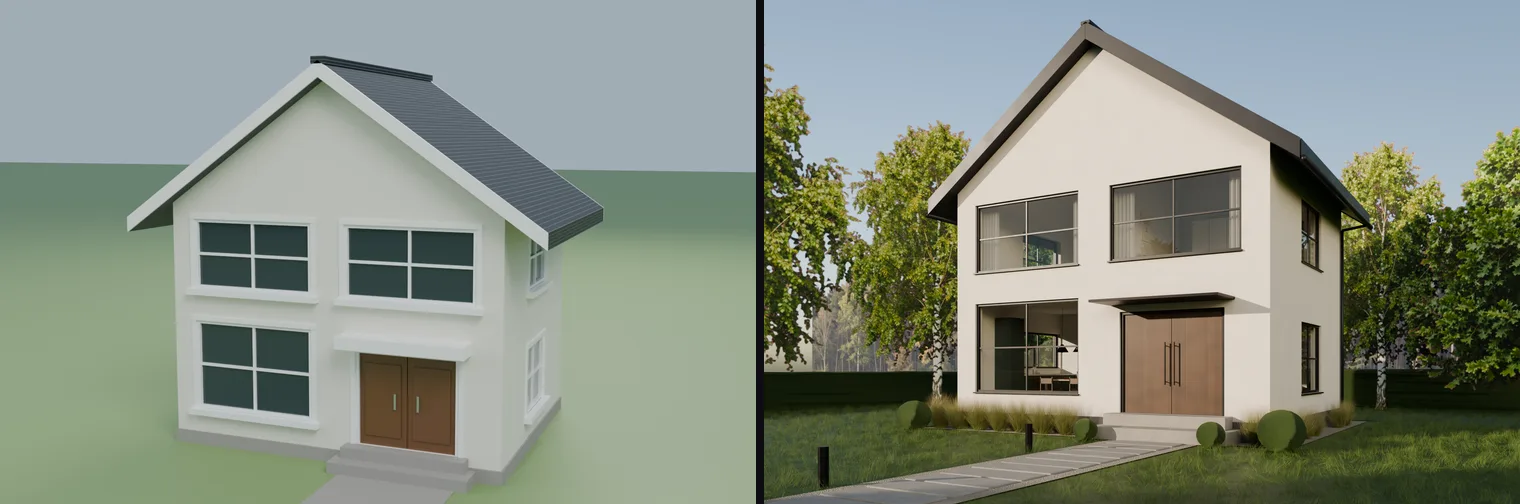 Left, the first pass: walls, roof and openings from the blueprint, in three runs of 7–39 s. Right, the final.
The first version took minutes and looked like it: an empty shell, flat colours, a grey floor, and a camera tilted down so every vertical line leaned in. Before changing anything, Claude researched how this kind of image is made and wrote down an art direction.
- Materials: warm white render, a dark standing-seam steel roof and slim black aluminium frames, a common look in contemporary gabled houses.
- Interior: white walls, pale oak and a dark oak stair, after Todd Saunders' Villa S+E near Bergen, whose plan has the same shape as the blueprint's.
- Camera: level, at eye height, framed with lens shift instead of tilt, so verticals stay vertical as they do in architectural photography.
- Light: a low golden-hour sun for the hero, and a blue-hour shot where the warm interior glows against a cool facade.
Then it rebuilt the house so it could be furnished: real wall thickness, two floors, a vaulted upper storey, a straight floating oak stair and window frames 60 mm wide. It also noticed the blueprint was wrong. The drawn L-shaped stair can't fit at that storey height; it would need about 4.2 m of run. So the stair became a straight flight along the back wall, and the log says so.
Dark rooms behind real glass
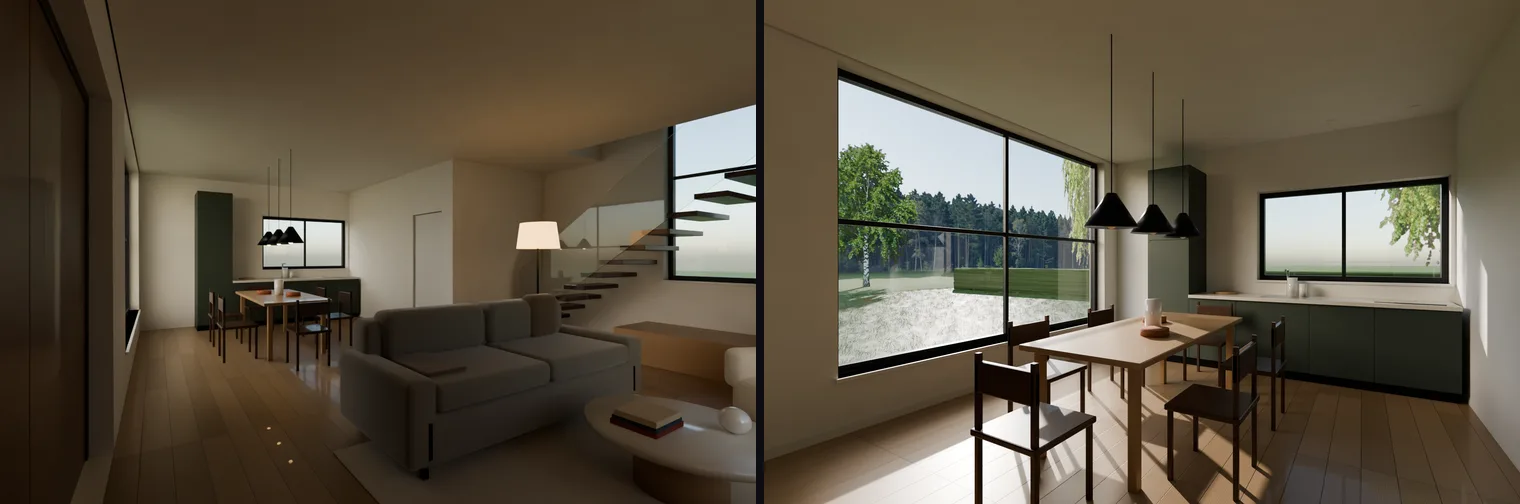 Left, the first interior test. Right, the final dining-room shot.
The first interior came out dark and speckled. The cause is a classic one in path tracing. Sunlight passing through glass that bends light is a caustic path, which the renderer handles badly, so the rooms were lit almost entirely by noisy bounce light.
The fix is a standard architectural-visualisation trick. The glass stays reflective for the camera, but shadow and bounce rays treat it as fully transparent. Sun and daylight then pour straight in. Finding a good interior angle took four attempts; the first three read like a corridor or showed mostly sofa.
Bedding that stopped looking like foam
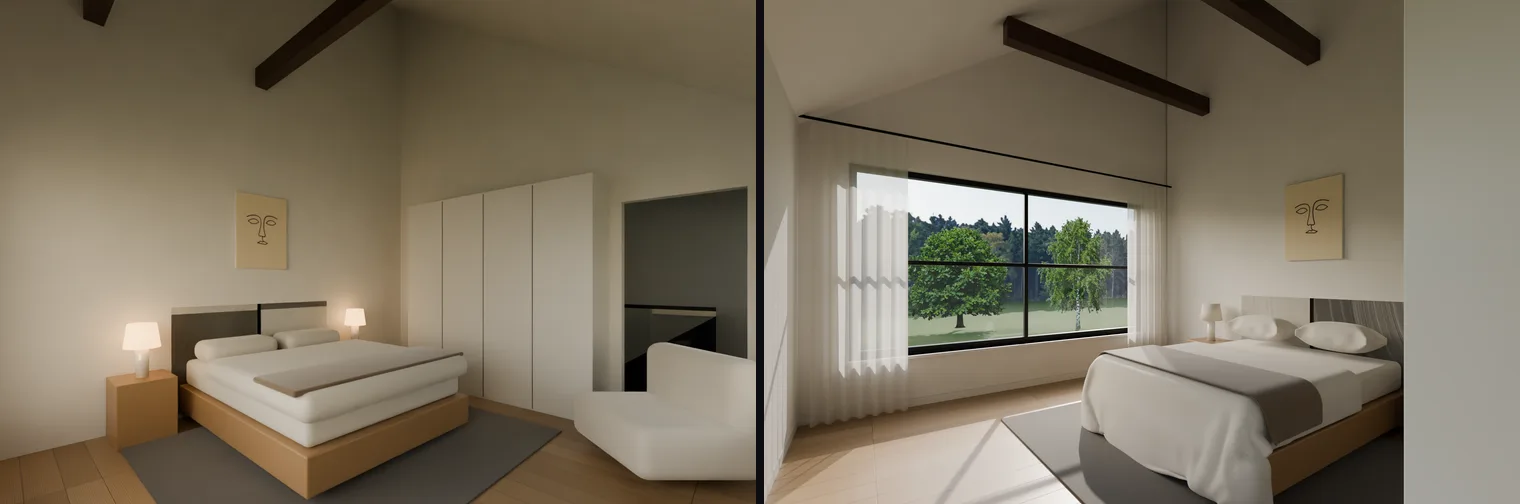 Left, the bedroom before the realism pass. Right, the final, with simulated cloth and sheer curtains.
Claude's own critique of the first bedroom was blunt: the pillows read as bolsters and the duvet as a second mattress. Modelled boxes don't look like fabric, so it simulated them. The pillows are inflated with pressure, then the duvet and a throw are dropped over the bed and settle. All three simulations ran inside one job in 8.7 seconds, without a viewport. Pleated sheer curtains that glow against the light were added in the same pass. In the log, Claude calls this the biggest single jump in realism of the project.
Blue hour, and lamps that showed up as balls
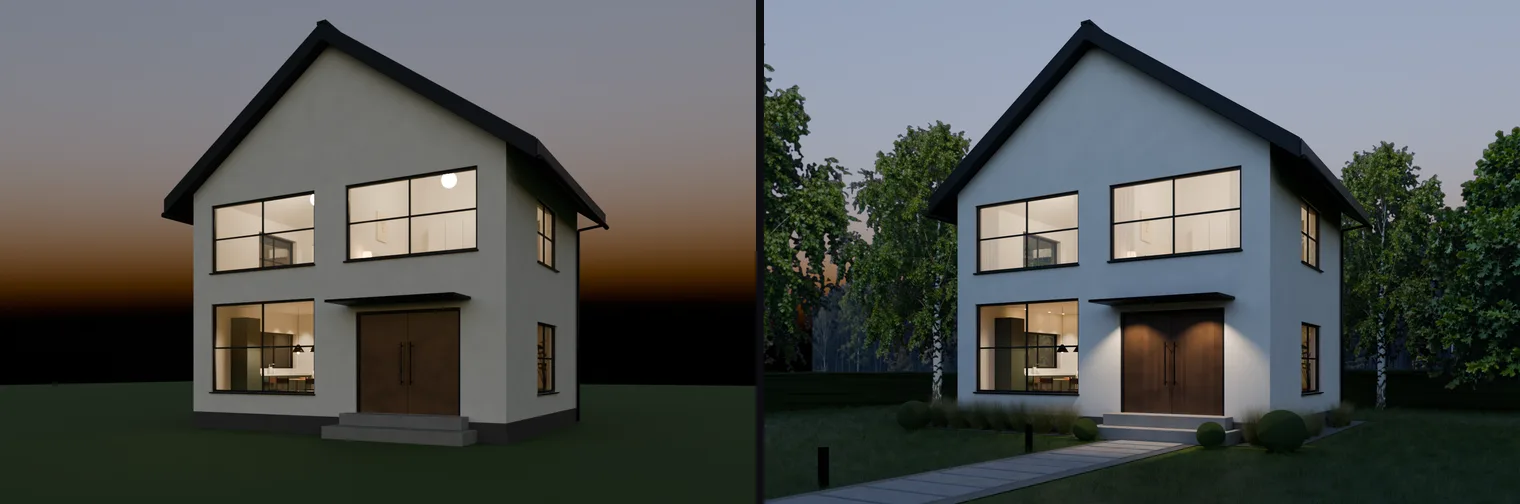 Left, the first blue-hour test. Right, the final, which Claude rated the strongest image of the set.
The blue-hour shot worked from the first test: warm windows against a cool facade is the classic magazine image. But one ceiling light appeared as a glowing ball in the upstairs window. Lights in Blender are visible to the camera by default.
Hiding them from the camera wasn't enough. The ball came back through the glass, because the glass trick above sends transmission rays and lights answer those too. Each of the 23 fixtures now hides from camera, transmission and reflection rays, and the lampshades still glow. The black horizon got forest cards, and the dark door got two canopy spots.
Cutaways and a model you can walk through
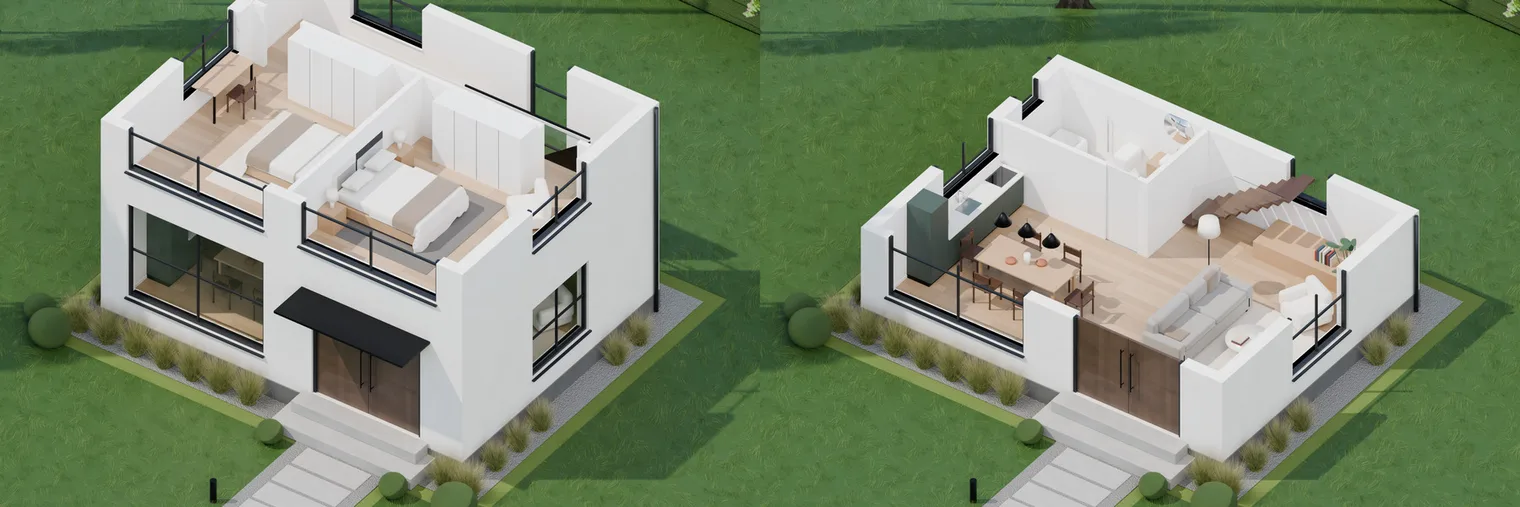 The two cutaways, sliced at 5.3 m and at 2.5 m.
The cutaways slice everything at a chosen height with one big boolean and look down with an orthographic camera. They took two Blender crashes to get right. One came from loading a scene twice in one script; the other from adding modifiers while looping over the same collection. A third problem made the first crash look like a different one: output that hadn't been flushed was lost in the crash.
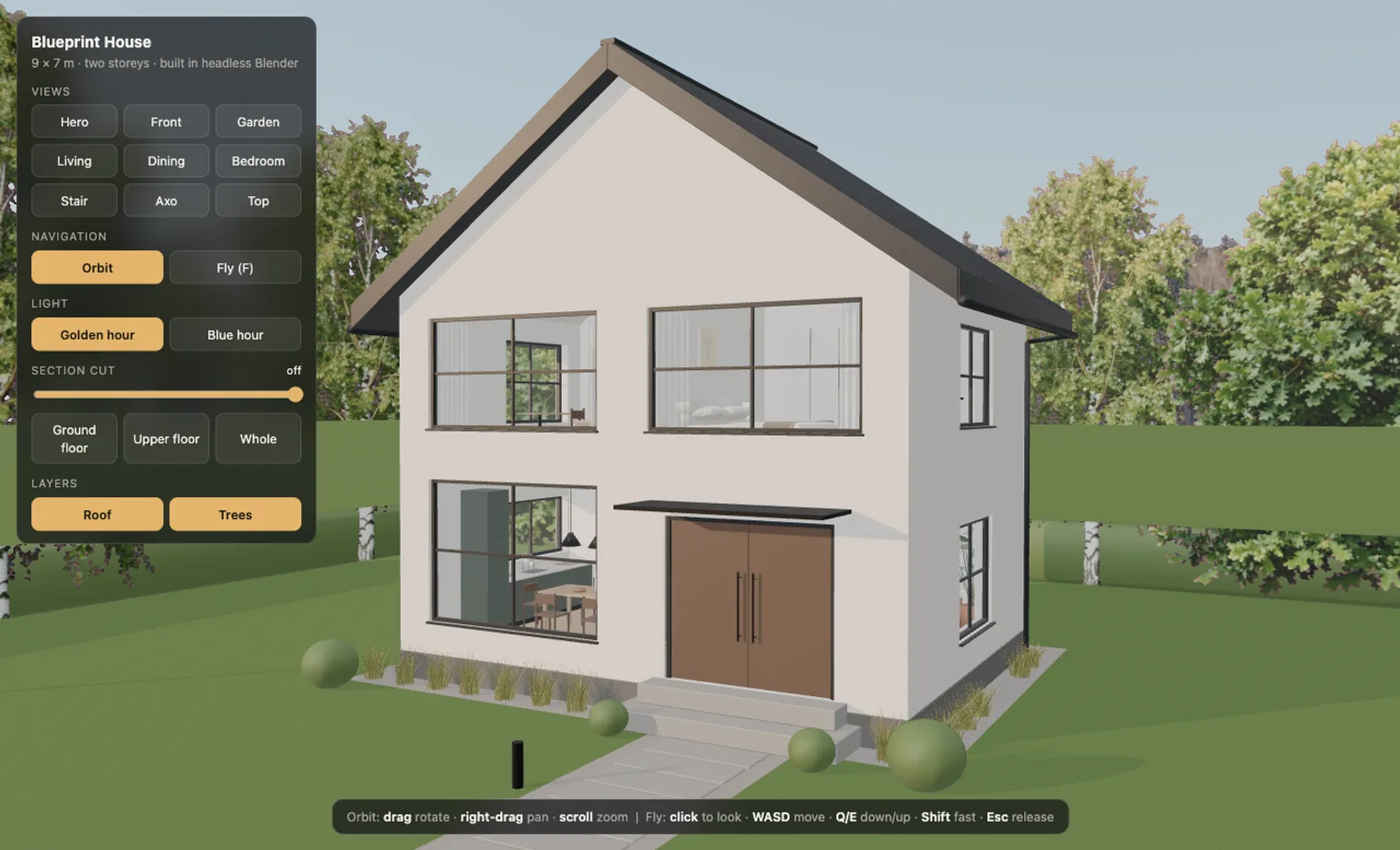 The web viewer: nine preset views, two lighting moods and a section-cut slider. Built from the same scene.
The last step exported the scene for the browser: 195,000 triangles in a 6.3 MB file. A single-page three.js viewer offers orbit and fly modes, nine viewpoints copied from the Blender cameras, golden-hour and blue-hour lighting, and a slider that cuts the house floor by floor. What the export format couldn't carry was rebuilt in the browser: the lawn texture, about 2,400 grass clumps, and trees that keep facing the viewer.
The bug that grew a 4-metre lawn
The strangest failure was outside. After the lawn was added, a golden-hour test came back as black vertical streaks, and renders had slowed right down. A probe script printed the grass length: 4 metres, on every system.
Blender's particle settings have two values that both control hair length, and setting the second one quietly reset the first. The lawn was about 2 million strands, each 4 m tall, and the camera was buried in it. Setting the values in the right order fixed it, and the same frame went from 93 seconds of black to 19 seconds of a real render. The giant lawn probably also caused the 40-minute server outage that interrupted the day. That's likely, but we haven't proved it.
Trees from an image model, keyed by hand
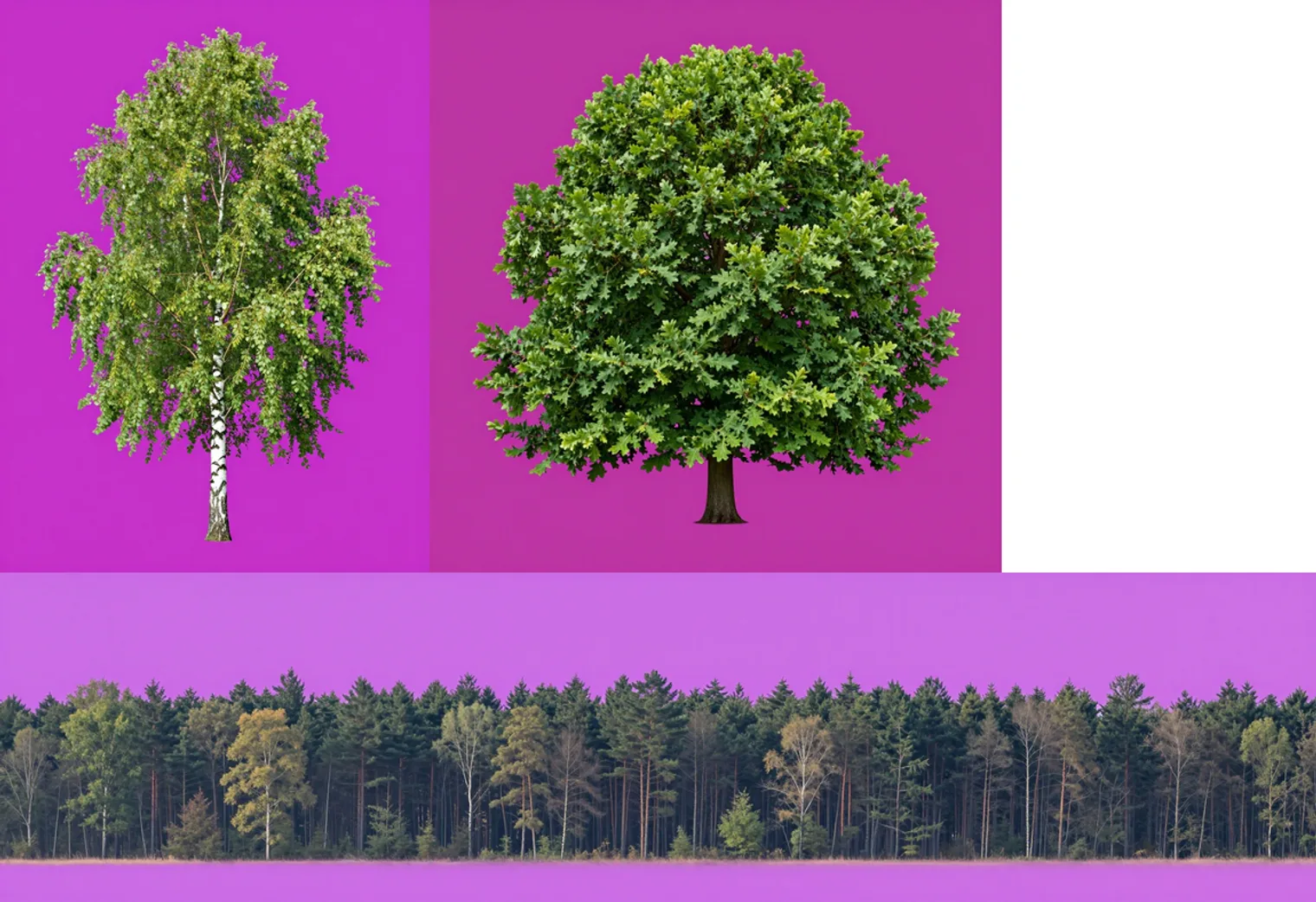 Trees generated on a flat magenta background, ready to be keyed inside Blender.
The trees are flat image cards, so they needed transparent backgrounds. The image model returned a JPG with a purple halo instead. A background-removal tool produced a clean PNG, but only on the wrong machine, where the render server couldn't reach it.
So Claude asked for each tree on solid magenta and keyed it inside Blender with a few lines of NumPy, like a green screen. The birch, the oak and a long forest strip came out clean.
What we learned
- Looking is the loop. Almost every improvement started with Claude critiquing its own render. The oak floor read as peach; a warm-up wooden ball looked "more like a zebra than wood"; an interior read like a corridor. With no viewport, the rendered frame is the only feedback, so it pays to render small previews often. Ours took 10–13 seconds a frame.
- Reason before rendering. Some bugs never reached a render. Working through the rotations caught armchairs facing away from the room and a painting floating 15 cm off the wall.
- Probe, don't guess. Blender's Python API changes between versions. When a setting name failed, one probe script listed the valid names instead of failing one guess at a time.
- Keep a log. Every iteration was written down: goal, change, result, critique, next step. That log made this post possible, and it records the flaws that are still there.
And there are flaws:
- The lawn seen through the dining window looks bleached at that low sun angle.
- The bedroom headboard has a streaky texture on one side.
- The hedge behind the house reads dark at small sizes.
- The skies are plain physical skies, because the job for a photographic cloud backdrop got stuck in the queue.
A professional visualiser would catch all four. But a working day of scripted iterations took a single blueprint to a set of images and a walkable model that a client could react to, without anyone touching a 3D tool.